Marcus was nineteen, a sophomore at a state university in Columbus, Ohio, when his mother Denise drove four hours to bring him home for the weekend. She had not seen him in two months. The young man who opened the dorm-room door was thinner, paler, and would not meet her eyes. His curtains were taped shut with painter’s tape. He told her, in a quiet matter-of-fact voice, that the resident assistant had been replaced by someone wearing his face. He had stopped showering because the water in the building was being monitored. He had not slept more than two hours a night in three weeks. Denise sat on the edge of his unmade bed and tried not to cry. She had spent the drive home convincing herself that her son was just stressed, that finals were hard, that the strange phone calls were a phase. By Sunday evening she was in the emergency department of a community hospital with a son who could not tell her what year it was. The intake nurse used a phrase Denise had only ever heard on television. First episode psychosis. What happened in the next six months would shape the next five years of Marcus’s life, and Denise had almost no time to figure out what to do.

Prodrome vs. first episode: the months before anyone calls it psychosis
Most psychotic illnesses do not arrive overnight. There is almost always a prodromal phase, lasting months to a few years, in which something is clearly off but no single symptom screams crisis. Sleep gets worse. Grades slip. A previously social teenager becomes a recluse. There may be vague comments about being watched, jokes that are not really jokes, an interest in the occult or in conspiracy theories that veers from curiosity into conviction. Magical thinking creeps in. The person may say a song on the radio is speaking directly to them, or that license plates contain coded messages. Family members frequently describe a sense that the lights have dimmed in someone they love.
The transition from prodrome to first episode psychosis is marked by frank delusions, hallucinations, or grossly disorganised speech and behaviour. The person hears voices that comment on their actions. They believe with absolute certainty that they are being followed, poisoned, or chosen for a divine mission. They speak in tangents that do not connect. The threshold for diagnosis is not loudness; it is loss of insight, the inability to recognise that any of this might be a symptom rather than a fact.
What families notice first
Parents, partners, and roommates almost always see the change before clinicians do. The early warning signs are quieter than the dramatic break that eventually brings someone to the emergency room. Knowing them gives you a head start.
- Sleep collapse: staying up for 36–72 hours, then crashing irregularly
- Hygiene decline that the person cannot explain
- Withdrawal from a friend group that was previously central
- Strange certainty about being watched, recorded, or read
- Talking to oneself in a way that is back-and-forth rather than muttered
- Cannabis or stimulant use that escalated in the past 6–12 months
- Religious or philosophical preoccupations that crowd out everything else
- Sudden suspicion of trusted family members
None of these alone is diagnostic. Three or four of them clustering over weeks should trigger a phone call to a mental health professional, ideally one familiar with early psychosis assessment.
Duration of untreated psychosis: why the clock matters
The duration of untreated psychosis (DUP) is the gap between the onset of frank psychotic symptoms and the start of effective treatment. In the United States the average DUP is shockingly long: 74 weeks, give or take. That is more than a year of acute symptoms before anyone intervenes. Research consistently shows that longer DUP correlates with worse five-year outcomes: more relapses, lower rates of return to school or work, worse social functioning, and higher rates of treatment resistance. Shortening the DUP is the single most modifiable factor families have control over.
The first six months after onset are a window. Treated well in those months, more than half of people with a first episode achieve full or near-full symptom remission within a year. Treated poorly or late, the trajectory is much harder to bend later. This is why coordinated specialty care exists, and why getting into a CSC programme quickly is one of the most consequential decisions a family will make.
From first symptoms to evaluation: who to call
The path from “something is wrong” to a psychiatrist’s office is rarely a straight line. The right call depends on how acute the situation is.
- Active danger (suicidal, threatening violence, cannot be redirected): call 911 and request a mental-health-trained officer, or go to the nearest emergency department
- Crisis but not acute danger: call or text 988, the Suicide and Crisis Lifeline, which routes to local mobile crisis teams in most counties
- Worried but stable: call the primary care physician for a same-week appointment and a referral to early-psychosis services
- Insurance-driven: call the number on the back of the card and ask for a behavioural health intake; mention “first episode” specifically
- University student: contact the campus counselling centre and the dean of students; many large universities have specialty pathways for psychotic disorders
The crisis-but-not-acute presentation is the most underserved. Families know something is badly wrong but the young person is not actively suicidal, has not threatened anyone, and refuses to go to the ER. Mobile crisis teams, dispatched through 988 in most regions, can come to the home and assess. They are usually paired with a clinician and can connect the family directly to next-day intake.
Coordinated specialty care: the gold standard for first episodes
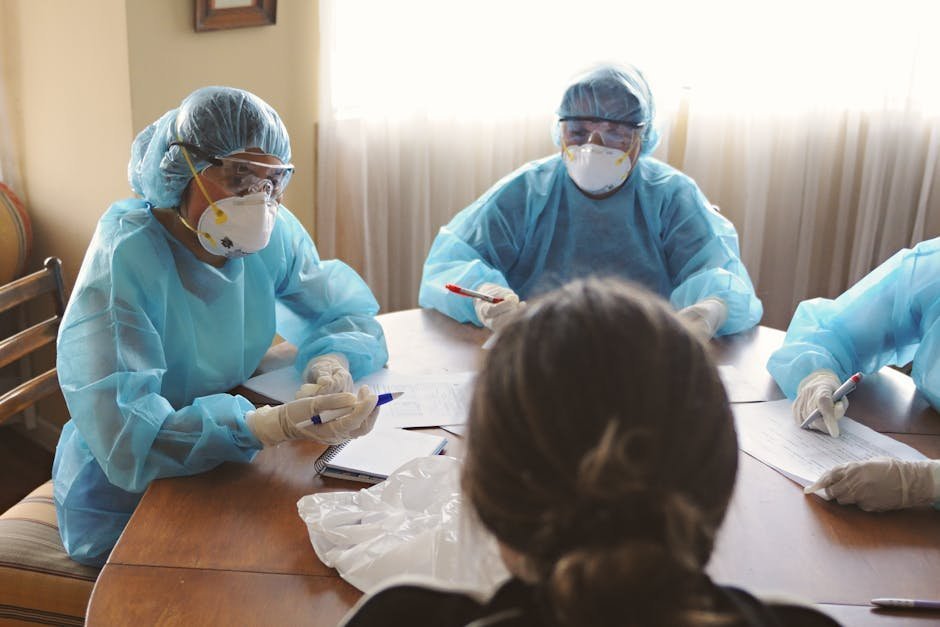
Coordinated specialty care (CSC) is a team-based model developed through the NIMH RAISE study. The team includes a psychiatrist, therapist, supported employment and education specialist, family education clinician, and case manager. Treatment combines low-dose antipsychotic medication, cognitive behavioural therapy adapted for psychosis, family psychoeducation, and active help getting back to school or work.
CSC outperforms standard community care across nearly every outcome measured: symptom reduction, hospitalisation rates, school and work participation, and quality of life. Most states now have at least one CSC programme, often multiple, partially funded through SAMHSA‘s Mental Health Block Grant set-aside. Locating one near you usually starts with the state mental health authority’s website or by asking your insurance company for “first-episode psychosis specialty programmes.”
Low-dose antipsychotic strategy
First-episode patients are dramatically more sensitive to antipsychotics than people who have been ill for years. They respond to lower doses and experience side effects more readily. The current standard is to start low and titrate slowly. Common first-line agents include aripiprazole, risperidone, and olanzapine, each with different metabolic and motor side-effect profiles. Aripiprazole tends to be the most weight-neutral. Olanzapine is among the most effective but causes significant weight gain.
Long-acting injectable formulations are increasingly used early because adherence in first-episode patients is famously poor. A monthly or three-monthly injection removes the daily decision to take medication and dramatically reduces relapse risk. Many schizophrenia treatment plans now build the injectable conversation into the first month rather than waiting for the first relapse to force it.
The cannabis question
The relationship between cannabis and first-episode psychosis is no longer controversial. Daily use of high-potency cannabis (THC above roughly 10 percent) substantially increases the risk of a psychotic episode in vulnerable young people. In a meaningful subset of first-episode presentations, cannabis is the proximate trigger, and stopping use leads to full remission without the need for long-term antipsychotic therapy. In another subset, cannabis appears to have unmasked an underlying schizophrenia spectrum disorder that would have emerged eventually.
Distinguishing cannabis-induced psychosis from a primary psychotic disorder is impossible in the first weeks. The right approach is to assume the worst (treat as primary), stop cannabis completely, and reassess after 6–12 months of sobriety and treatment. If symptoms remit and stay remitted with medication taper, the cannabis-induced label fits. If they recur, it does not.

Family education changes outcomes
One of the most consistent findings in psychosis research is that high expressed emotion in the home environment, meaning critical comments, hostility, or emotional over-involvement, drives relapse. Family psychoeducation reduces relapse rates by half compared with treatment-as-usual without family work. The evidence base for this is older and stronger than the evidence base for many medications.
Practical family education covers: what psychosis is and is not, why arguing with delusions never works, how to lower stimulation in the home during recovery, how to recognise early warning signs of relapse, and how to take care of caregivers themselves. NAMI’s Family-to-Family programme is free, evidence-based, and available in nearly every state. Many community mental health resources have similar offerings.
Frequently asked questions
Will my child have schizophrenia for life?
Not necessarily. About a third of first-episode patients have a single episode and never relapse. A third have intermittent episodes with good function in between. A third develop chronic illness. Early, aggressive, coordinated treatment shifts that distribution toward the better outcomes.
How long do they have to stay on medication?
Current guidelines recommend at least 12–24 months after full symptom remission for a first episode. After that, a slow, supervised taper can be considered, with the understanding that 60–70 percent of people will eventually relapse off medication.
Can someone with first-episode psychosis go back to college?
Many can, often with accommodations through the disability services office. CSC programmes have supported education specialists who navigate this. A semester off is common; permanently dropping out is not necessary or recommended.
Should I have my child involuntarily committed?
Only if they meet the legal threshold (imminent danger to self or others, or grave disability). Involuntary commitment is sometimes life-saving and sometimes traumatising. Voluntary admission, when achievable, almost always produces better long-term engagement.
Is psychosis genetic?
Genetics contribute roughly 60–80 percent of the risk variance, but that does not mean it runs in straight lines. Most people with a first episode have no first-degree relative with a psychotic disorder. Environmental factors, including cannabis use, urban upbringing, and migration stress, interact with genetic susceptibility.
The bottom line
The first six months after a psychotic break are the most consequential six months of the illness. Shortening the duration of untreated psychosis, getting into coordinated specialty care, starting low-dose antipsychotics, stopping cannabis, and pulling the family into education changes the five-year arc. Marcus, the young man at the start of this article, spent three weeks in a hospital, transitioned to a CSC programme in central Ohio, returned to college part-time the following autumn, and finished his degree two years late. None of that was guaranteed. All of it was made more likely by the fact that his mother trusted her instincts and drove the four hours.
If you suspect a first episode of psychosis in someone you love, call the 988 Suicide and Crisis Lifeline for immediate guidance. Mobile crisis teams, primary care, emergency departments, and CSC programmes are all reachable through that single number, around the clock, free, and confidential. Additional federal resources are available through the National Institute of Mental Health and SAMHSA.
This article is for educational purposes only and does not constitute medical advice. First-episode psychosis is a medical and psychiatric emergency. If you or someone you love is experiencing symptoms of psychosis, contact a licensed mental health professional, your local emergency department, or call 988 immediately.